New0.8.0 puts your stats on the NZXT Kraken Z3 screen

Watch every reading.Set every light.

Gauge is a free system monitor and RGB lighting controller for Windows. No account, no telemetry, no vendor apps, and about 40 MB of memory.

Version 0.8.0Windows 10 & 11, 64-bitFree, MIT licensed

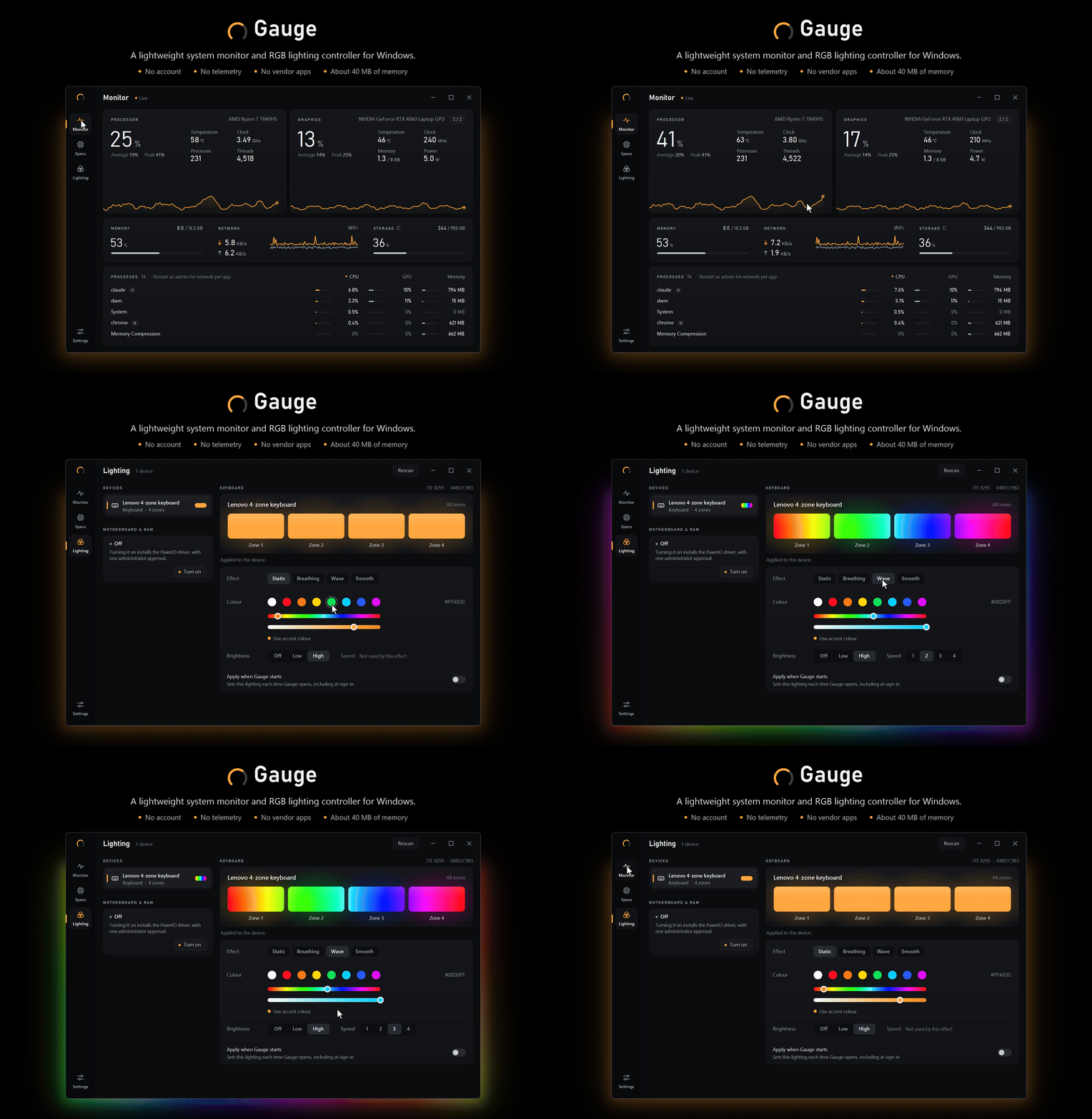
Gauge running: the Monitor page with live CPU and GPU history, then the Lighting page setting a Lenovo 4-zone keyboard to cyan and the Wave effect, with the keyboard's light glowing around the window.

Why Gauge

Everything you'd install three apps for. None of what comes with them.

Vendor RGB suiteHardware monitorSystem info tool
all in one app Gauge
Memory
~40MB

A hand-drawn interface. No web view, no Electron, nothing running in the background.

Data collected
0bytes

No account, no analytics. The one connection it makes is an update check, and you can turn it off.

RGB devices
100+

Native drivers plus a built-in OpenRGB engine. Plug it in and Gauge finds it.

Price
Free

Open source under MIT. No pro tier, no upsell, no trial clock.

The app

Four pages.
Everything in reach.

Monitor, Specs, Lighting and Settings, each one a click on the rail or Ctrl + 1–4 away.

01

Monitor

Ctrl1

Live readings, ninety seconds deep.

CPU and GPU load drawn edge to edge, with temperature, clock, power and fans beside them. Memory, network, storage and every running app, on one page.
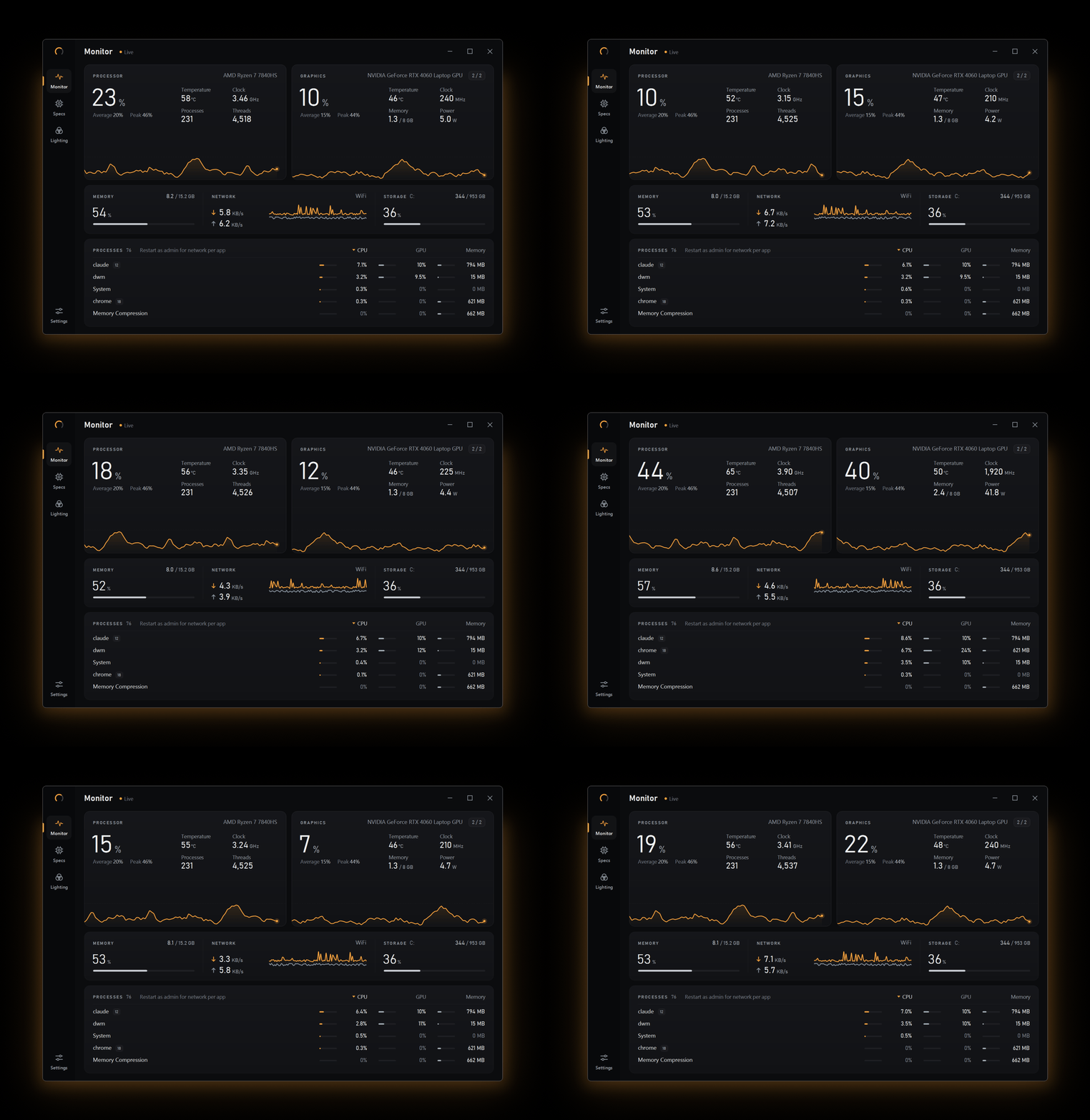
Gauge's Monitor page running live: CPU and GPU load with 90 seconds of history scrolling past, memory, network, storage and the process list updating.
  • CPU and GPU, in fullLoad with 90 seconds of history, plus temperature, clock, power, fan and video memory where the hardware reports them.
  • Heat you can see Temperatures turn amber, then red, as they climb.
  • Memory, network, storageAt a glance, with download and upload charted live.
  • Apps, not just processesGrouped by app and sortable by CPU, GPU or memory. Run as administrator for per-app download and upload speeds.
  • More than one GPUSwitch between graphics cards on machines that have several.
  • Always lightweightAll of it in about 40 MB, so the monitor never becomes the thing you're monitoring.
02

Specs

Ctrl2

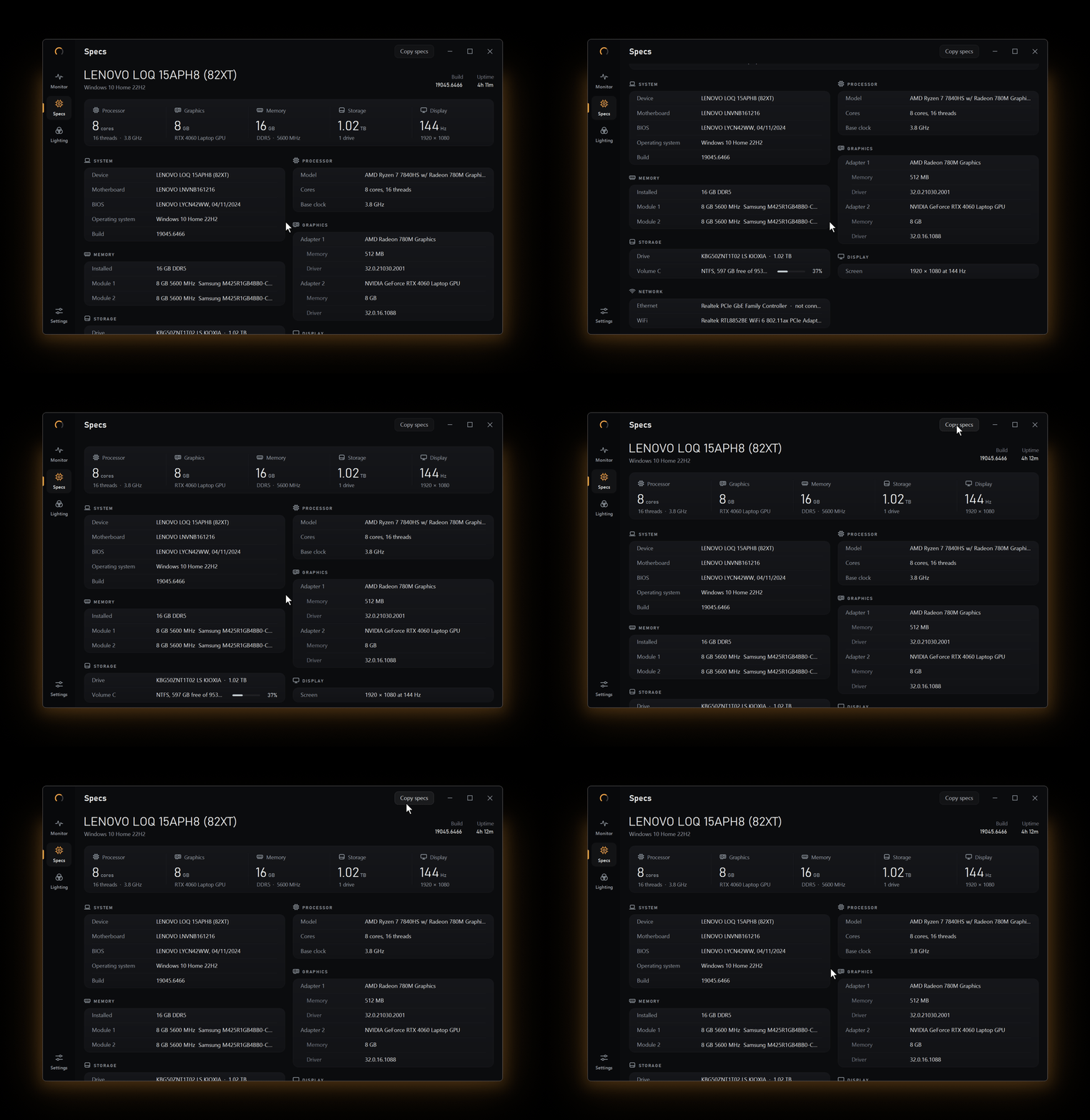
Your whole machine, one copy away.

A complete hardware inventory, detected automatically. No digging through Device Manager, no third tool to install.

Gauge's Specs page: scrolling through the device summary, key figures and grouped hardware details, then Copy specs.
  • Everything, groupedSystem, processor, graphics, memory modules, storage, display and network, with the key figures in one row at the top.
  • Copy specsPuts it all on the clipboard as plain text, ready for a forum post, a support ticket or a "will this run it?" thread.
Clipboard
System
  Device: LENOVO LOQ 15APH8 (82XT)
  Operating system: Windows 10 Home 22H2

Processor
  Model: AMD Ryzen 7 7840HS
  Cores: 8 cores, 16 threads

Graphics
  Adapter 2: NVIDIA GeForce RTX 4060
  Memory: 8 GB
03

Lighting

Ctrl3

Your RGB, without the maker's software.

One device list for everything that lights up, with a live preview that glows in the colours you pick. Delete the vendor suites; Gauge talks to the hardware itself.

Keyboards Mice Headsets Graphics cards Coolers & fans LED controllers Motherboards & RAM

Native drivers for Lenovo Legion, LOQ and IdeaPad Gaming 4-zone keyboards, the Keychron Q1 HE and the NZXT Kraken Z3 screen. Hundreds more through the built-in OpenRGB engine.

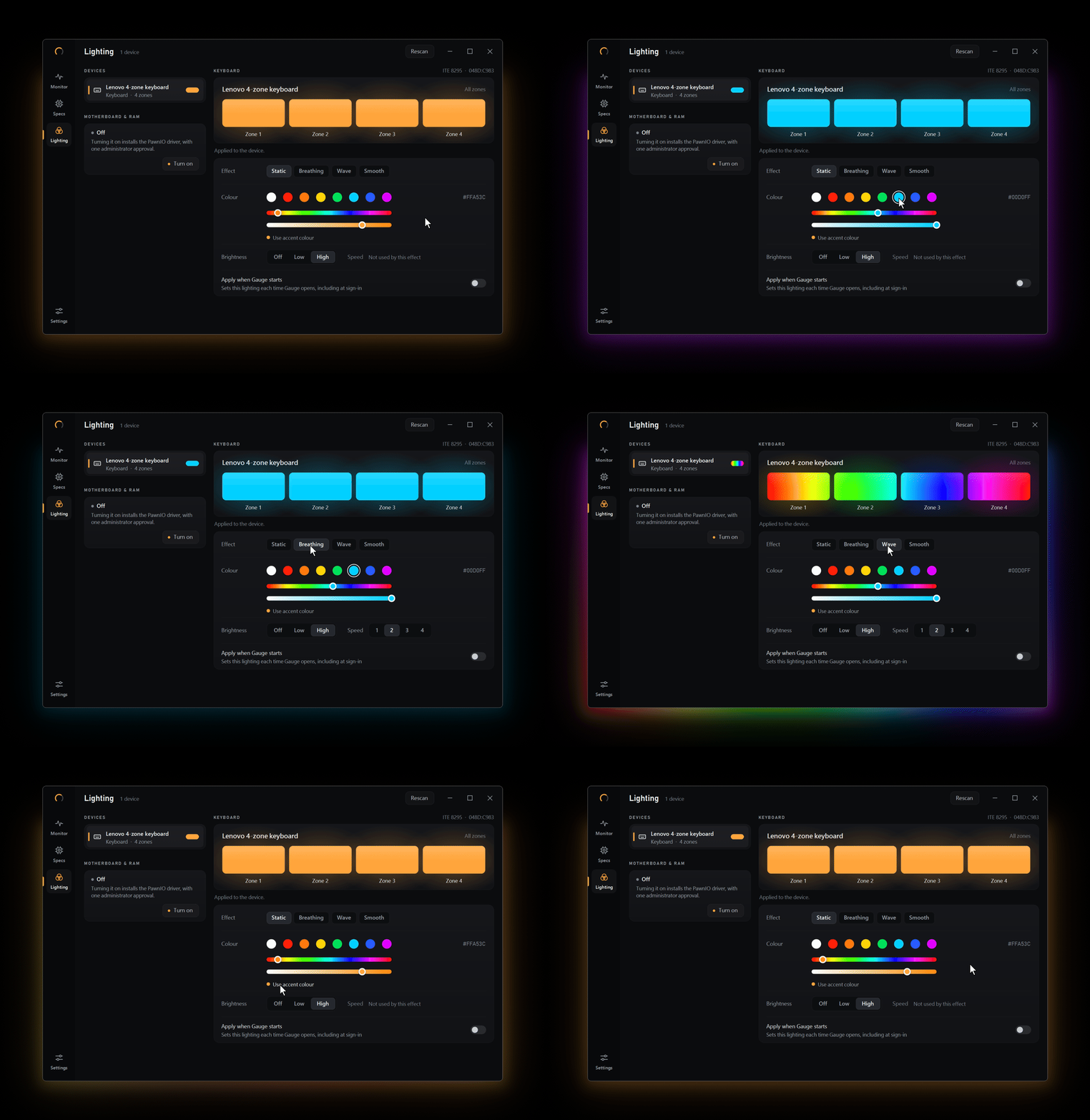
Gauge's Lighting page: the Lenovo 4-zone keyboard set to magenta, then cyan, then the Breathing and Wave effects, then back to the accent colour, with the zone preview following each change.
  • Found automaticallyDevices appear on their own, through native drivers or the OpenRGB engine. No setup, no profiles to import.
  • Zones, effects, speedPer-zone colours and each device's own effects, brightness and speed, with a live preview that glows as you go.
  • Motherboard and RAMOne administrator approval installs the PawnIO driver, and there's a clean way to turn it off again.
  • Set it once"Apply when Gauge starts" puts your lighting back at every sign-in.
  • Your device, nextDevices without a driver yet are listed, with a report you can copy and send so support can be added.
  • Kraken Z3 screen NewPut liquid, CPU or GPU temperature, load or clock on the cooler's display, as a ring or a fill, in your colours. No NZXT CAM.
04

Settings

Ctrl4

Starts quietly. Stays out of the way.

Gauge can open straight to the tray at sign-in, keep running when you close it, and update itself without asking for your attention.

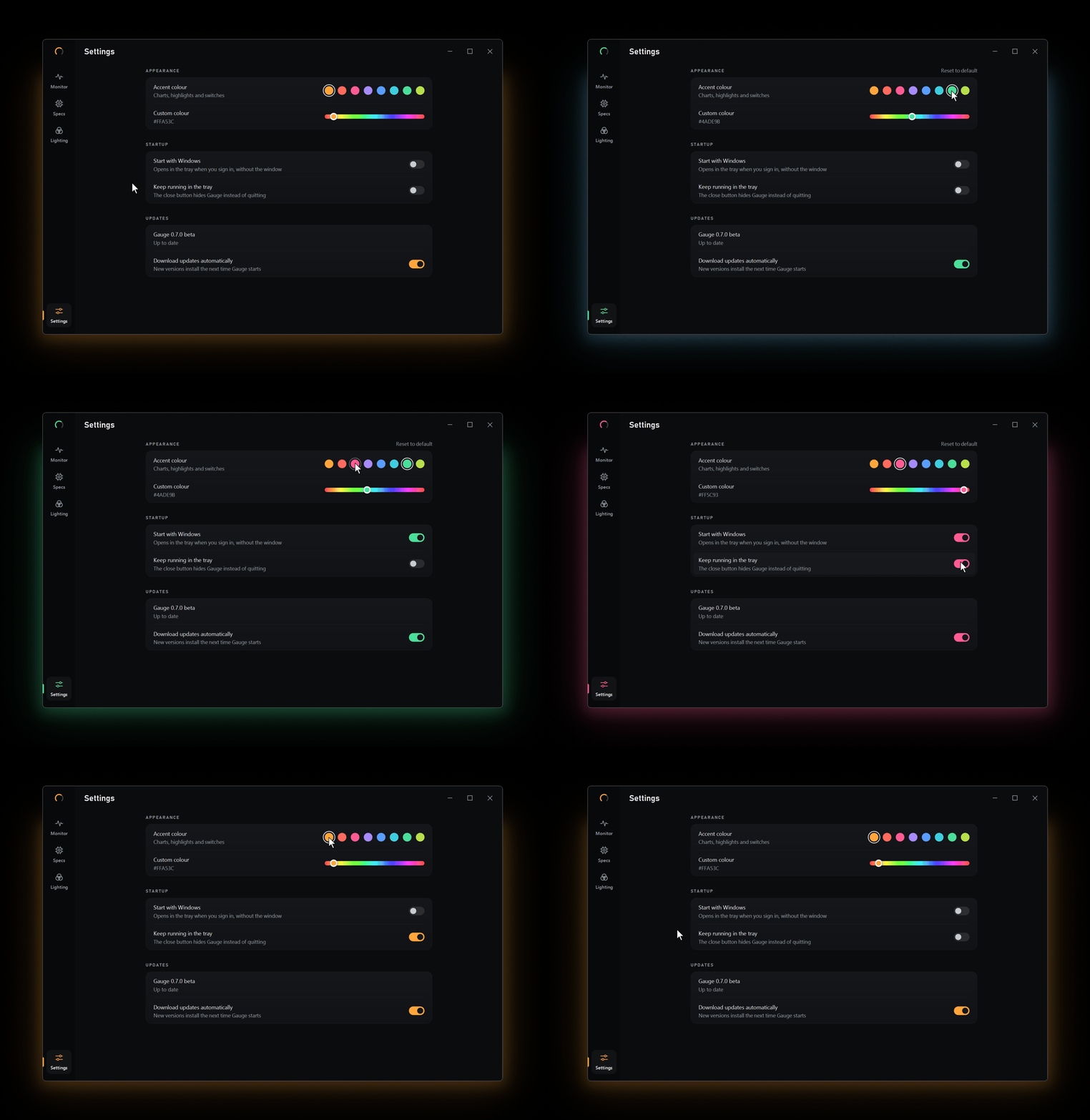
Gauge's Settings page: switching between accent colours, which recolour the charts, highlights and switches, and turning the start-up and tray options on and off.
Accent colourTry it here: this page uses the same eight
Custom colour#FFA53C
  • Start with WindowsOpens in the notification area when you sign in, without the window, so your lighting is applied every time.
  • Keep running in the trayThe close button hides Gauge instead of quitting. Click the tray icon to bring it back.
  • Quiet updatesNew versions download in the background and install the next time Gauge starts. You can switch it off.
  • Eight accents, or any hueCharts, highlights and switches follow the colour you choose.
  • Nothing extra runningA custom-drawn interface: no web view, no background services.
  • Keyboard friendlyCtrl + 1–4 moves between pages.

Privacy

Nothing leaves
your PC.

Gauge has no account and sends nothing about you or your machine anywhere. The only time it goes online is to ask GitHub whether there's a newer version of itself, and that's a switch in Settings.

No account No telemetry No ads
Gauge · networkwatching
Outbound connections
github.com · update checkoptional
analyticsnever
crash reportingnever
account sign-innever
Stored on your PC
%AppData%\Gauge\settings, diagnostic log
— that's everything —

Under the hood

Drawn by hand,
pixel by pixel.

Nothing on screen is a standard control. Every page is drawn directly with GDI+, which is why Gauge opens instantly and sits at around 40 MB while it works.

Built with
Interface
Custom GDI+ renderer, no web view
Runtime
C# on .NET 10, Windows Forms
Sensors
LibreHardwareMonitor, NVML, performance counters
Lighting
Native drivers and the OpenRGB 1.0 engine
Updates
Velopack, in the background
Licence
MIT
Build it yourself
PowerShell
>git clone https://github.com/Manny912-dev/Gauge.git
>cd Gauge
>dotnet build -c Release

You need Windows and the .NET 10 SDK. Read the code, open an issue, or send a pull request on GitHub.

What's new

On the way to 1.0.

Full changelog
0.8.0Latest

The NZXT Kraken Z3 screen

Gauge can drive the cooler's round display: pick a reading, a ring or fill style, a colour theme, brightness and rotation. New and not yet tried on a real cooler, so reports are welcome.

0.7.2

Keychron Q1 HE lighting

Drives the Q1 HE's RGB through VIA: all 22 effects, colour, brightness and speed. Richer device reports for QMK keyboards Gauge can't drive yet.

0.7.1

A new mark

The segmented dial, nine segments with six lit, across the app, its icon, the tray and a redesigned installer panel.

0.7.0

The redesign

A navigation rail, a bigger Monitor page, a rebuilt Lighting page with a glowing live preview, grouped Specs and Settings as its own page.

Get Gauge.

Free, for good. It installs in seconds for your account only, so you don't need administrator rights.

Installer

Gauge for Windows

Gauge-win-Setup.exe
  • Keeps itself up to date
  • Start menu entry, start with Windows
  • No administrator rights needed
Download installer

Version 0.8.0 · 64-bit Windows 10 or 11 · All releases

"Windows protected your PC"? Gauge isn't code-signed yet, so SmartScreen may stop it the first time. Click More infoRun anyway and it won't ask again. If you turned on motherboard and RAM lighting, turn it off in Gauge before uninstalling.